CUDA & Vulkan
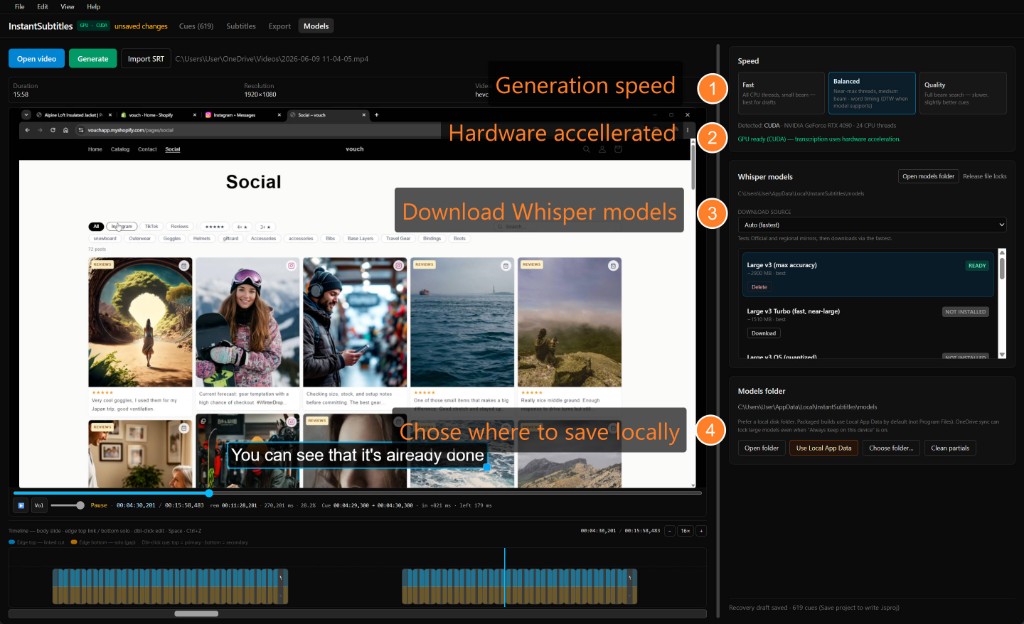
Detect GPU from the app. Install NVIDIA CUDA or cross-vendor Vulkan whisper runtime with mirror selection — no manual PATH hacking.
 InstantSubtitles
Features
InstantSubtitles combines local AI transcription with an editor that respects pro deliverables — not a stripped-down web uploader.
Download models from Tiny through Large v3 (and turbo / quantized variants). Fast, Balanced, and Quality presets map to real whisper.cpp decode settings. Multi-language input chips and optional English translation output for dual-track projects.
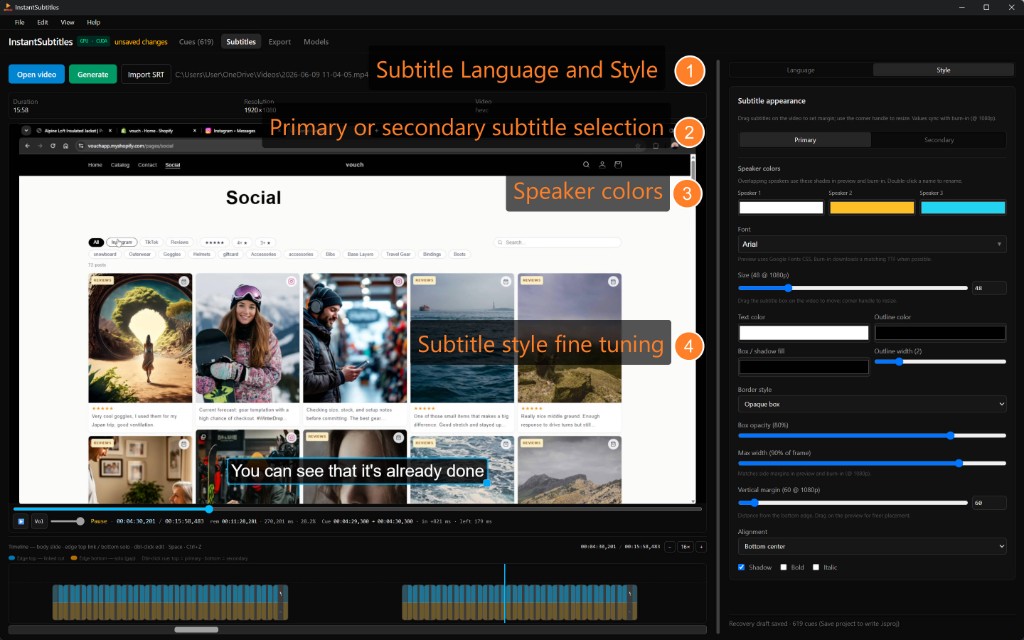
Primary and secondary subtitle styles: font, size, outline, shadow, colors, and margins. Drag subtitles in the preview; corner resize syncs with ASS burn-in at 1080p reference. Google Fonts download automatically for embedded exports.
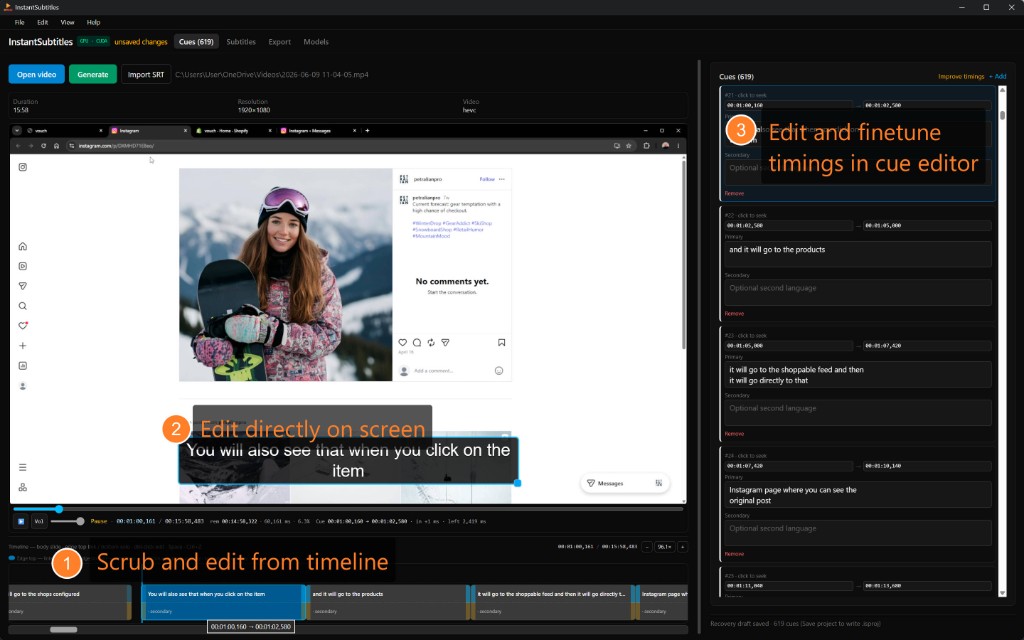
Edit text inline, nudge timings on the timeline, split and merge cues, and jump from a cue to the playhead. Import existing SRT. Undo/redo for timing edits. Context menu actions match desktop expectations.
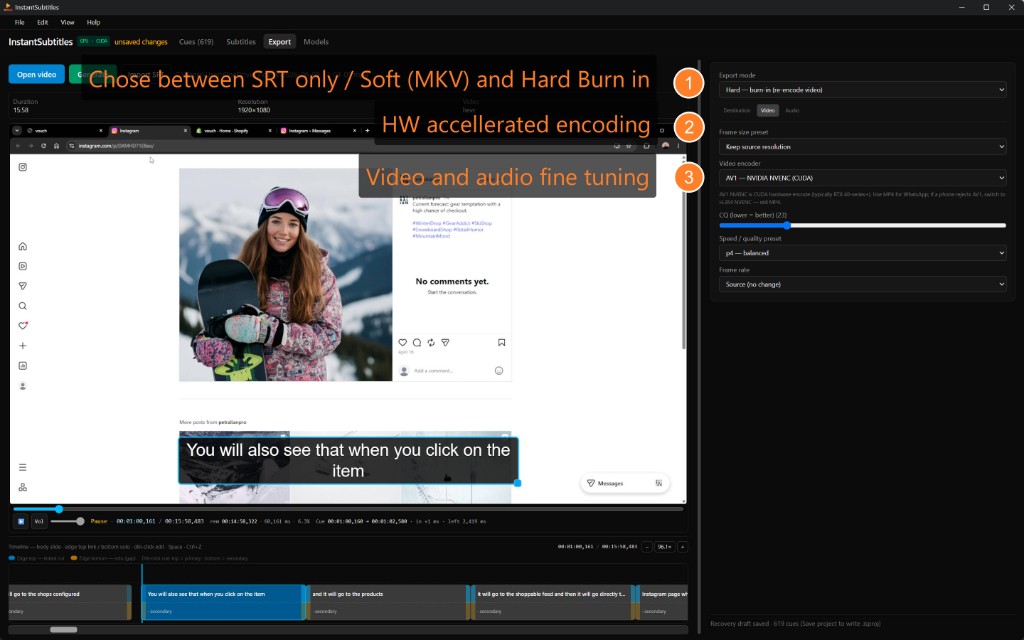
Soft subtitles (muxed), hard burn-in, or SRT sidecar. Social presets for common aspect targets. Pick video encoder, quality, FPS mode, and audio bitrate/sample rate. Output next to your source video by default — open the folder in Explorer when done.
Detect GPU from the app. Install NVIDIA CUDA or cross-vendor Vulkan whisper runtime with mirror selection — no manual PATH hacking.
Use Local App Data, choose a custom folder, clean partial downloads, and avoid OneDrive-synced paths that lock multi-gigabyte files.
Save and reopen projects with cues, styles, and export settings. Recovery prompts if the app closes unexpectedly.
Help → Check for updates compares semver against instantsubtitles.cc and opens the download page when a newer build is available.
Try free: unlimited Generate on any length. Export trial: 10 hard burn-ins (max 0:30 each). Soft mux and SRT need a $12.99 license — Help → License… after you buy with PayPal.