Stays on your PC
Transcription runs locally with whisper.cpp. Your source files are not uploaded for AI processing.
 InstantSubtitles
Local-first · Windows · one-time license
Open any clip, transcribe with Whisper on your CPU or GPU, fine-tune cues on a timeline, style fonts and placement, then export soft subtitles or a burn-in master for YouTube, TikTok, and clients.
Download for Windows Buy license — $12.99
Trial: unlimited Generate · Export trial 10× hard burn-in (max 0:30) · PayPal · up to 2 PCs · Help
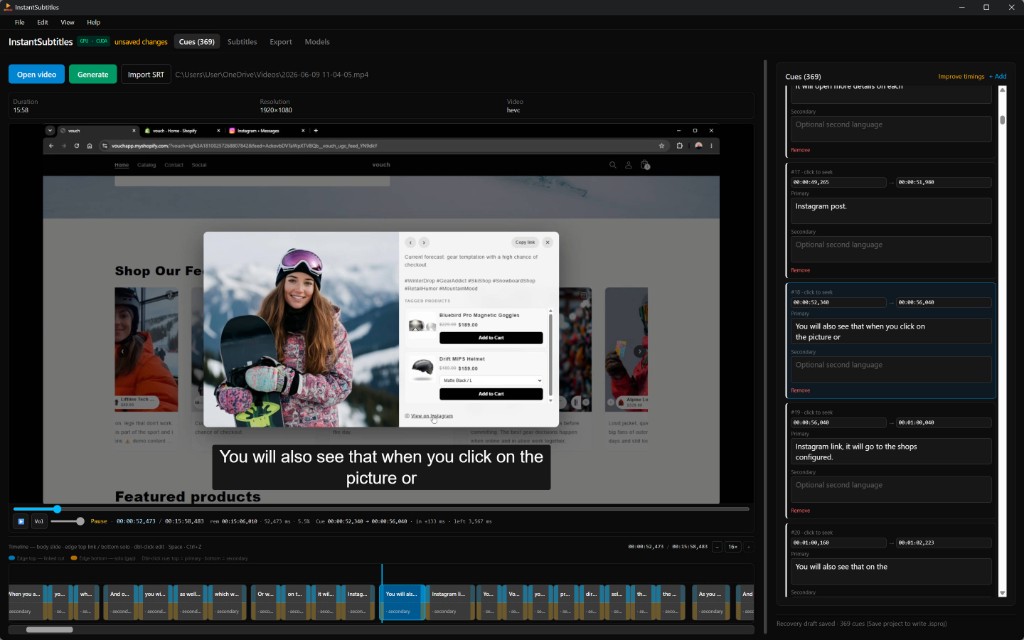
Why creators switch
Built for editors who care about privacy, codec control, and predictable cost — not another monthly caption SaaS tab.
Transcription runs locally with whisper.cpp. Your source files are not uploaded for AI processing.
Install CUDA or Vulkan acceleration from the app. Large-v3 on an RTX-class GPU turns hour-long interviews into minutes.
Soft subs, hard burn-in, or SRT — social presets, codec tuning, and audio settings via FFmpeg.
Primary and secondary tracks, multi-language input detection, and English translate output when you need it.
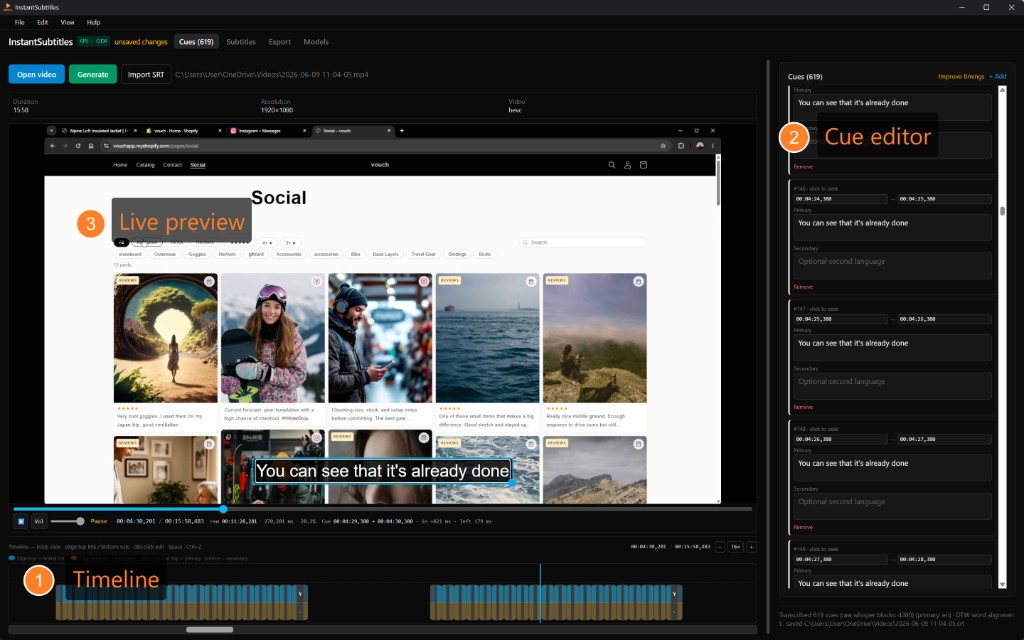
Drag cues, split and merge, preview burned styles on the video, and resize subtitles directly in the player.
$12.99 unlocks full Export (soft, burn-in, SRT). Generate is free in trial. Free updates on the 0.x line.
Workflow
Editor
A dedicated cues list, waveform-style timeline, and draggable on-video subtitles keep you in flow. Undo/redo, keyboard shortcuts, and project save mean you can return to a client cut days later.
Models & speed
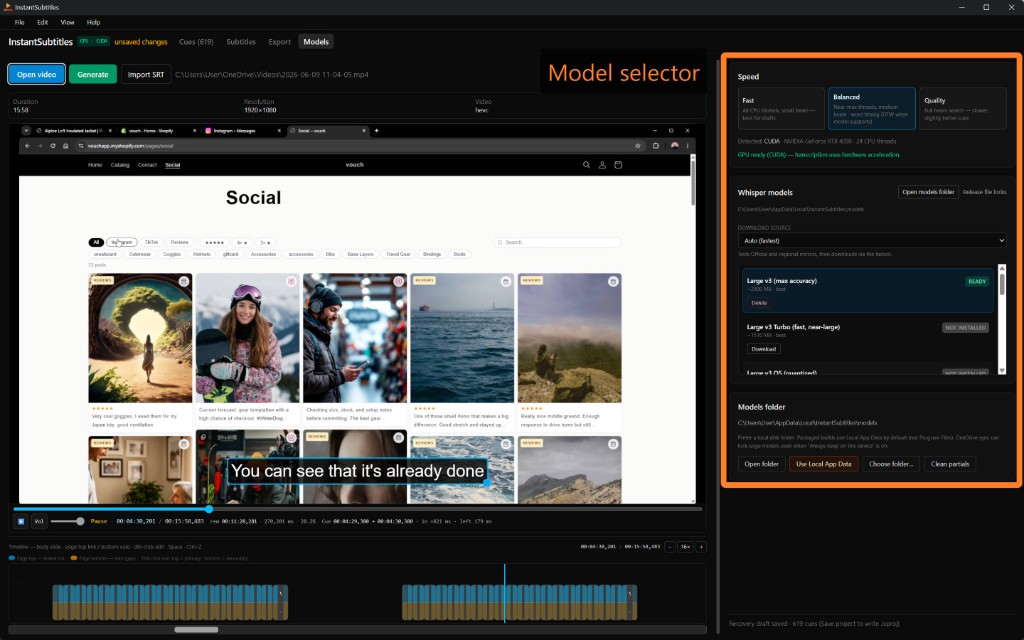
Models live in Local App Data by default — away from OneDrive sync locks. Pick a download mirror if your region is slow, install GPU runtimes from the UI, and release file locks without digging in Task Manager.
Pricing
Full license
$12.99 USD
One-time via PayPal
Install and try free: unlimited Generate on any length. Export trial is 10 hard burn-ins (max 0:30 each) — enough to check GPU speed and burn-in quality on a short clip.
FAQ
No. Transcription uses whisper.cpp on your machine. The app may contact instantsubtitles.cc only for optional update checks and license activation — see our Privacy Policy.
Windows 10 or 11, WebView2 (usually preinstalled), and disk space for Whisper models (hundreds of MB to a few GB). An NVIDIA, AMD, or Intel GPU is optional but recommended for long files.
InstantSubtitles is a dedicated subtitle pipeline: multi-language tracks, pro export codecs, client deliverables, and no dependency on a mobile editor. See comparison.
Contact nathan@petralian.com with your PayPal transaction ID. Refunds are handled manually per our Terms.
Download the Windows installer, try Generate on a short clip, and upgrade when you are ready to export.